
The Motivation
I guess that sooner or later I would enter this era. I wanted to self-host. And not only a little, but: everything ✨. And for those who like motivation-by-quotes more:
An expert is a person who has made all the mistakes that can be made in a very narrow field.
- Niels Bohr
I was tinkering every now and then, I possessed an OrangePi 5 Pro (with RKMPP Hardware Acceleration!), and a small media collection on a Portable HDD... and that's how I started to host my own small mediaserver, just for myself. But that wasn't really "it". I had no data redundancy, the HDD was small (1TB), connected via USB and a quirky adapter, and I wanted to degoogle anyway which meant: more applications, more data.
So I needed storage. But I had no clue of nothing. So I dived.
The Requirements
I researched and came up with the following requirements:
- A software RAID, ideally OSS and easily portable
- No Vendor Lock-In (Synology left the chat)
- Double redundancy (i.e., RAID6 or RAIDZ2, respectively)
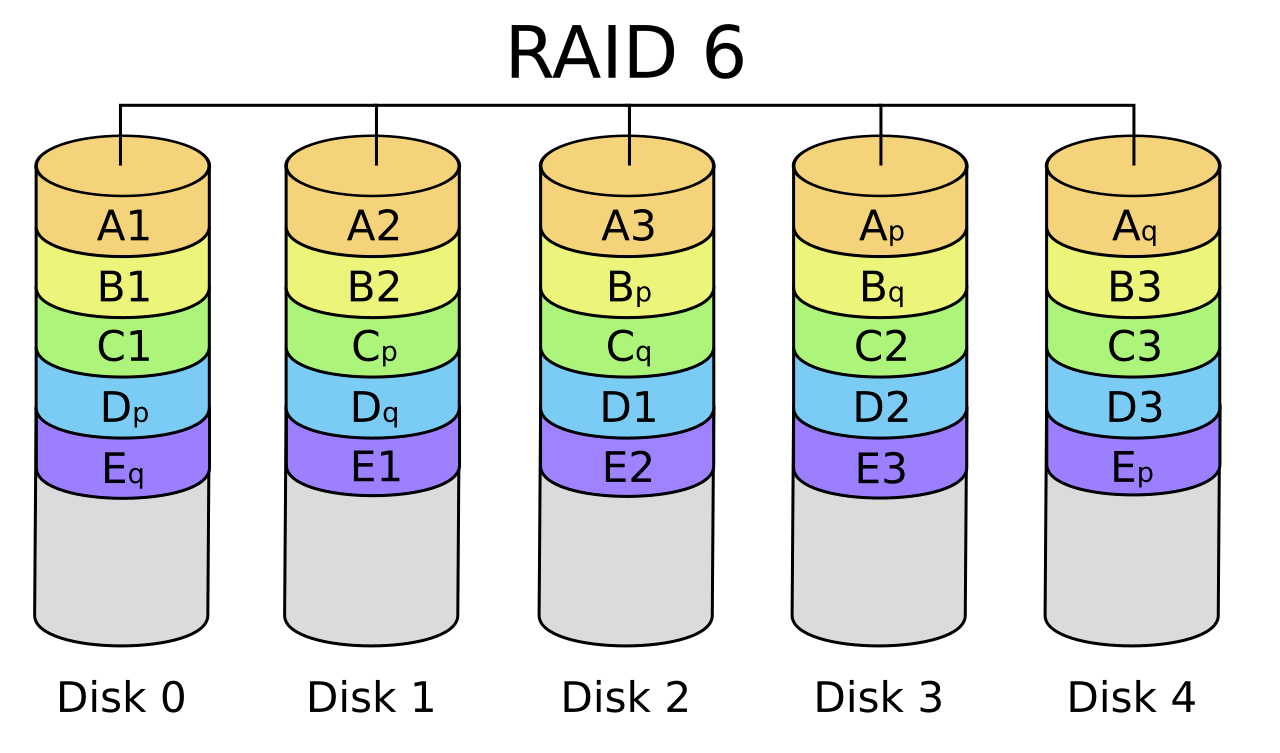
During continued research, TrueNAS (ex. FreeNAS) popped up, and I chose to go with it.. and also, that added new requirements
- A device with a video output; makes it easier to install TrueNAS
- At least 4 bays (given 2 are "lost" for redundancy)
The Offer
So I started to look for devices fulfilling those requirements. And around Christmas, this Ricardo offer presented itself:
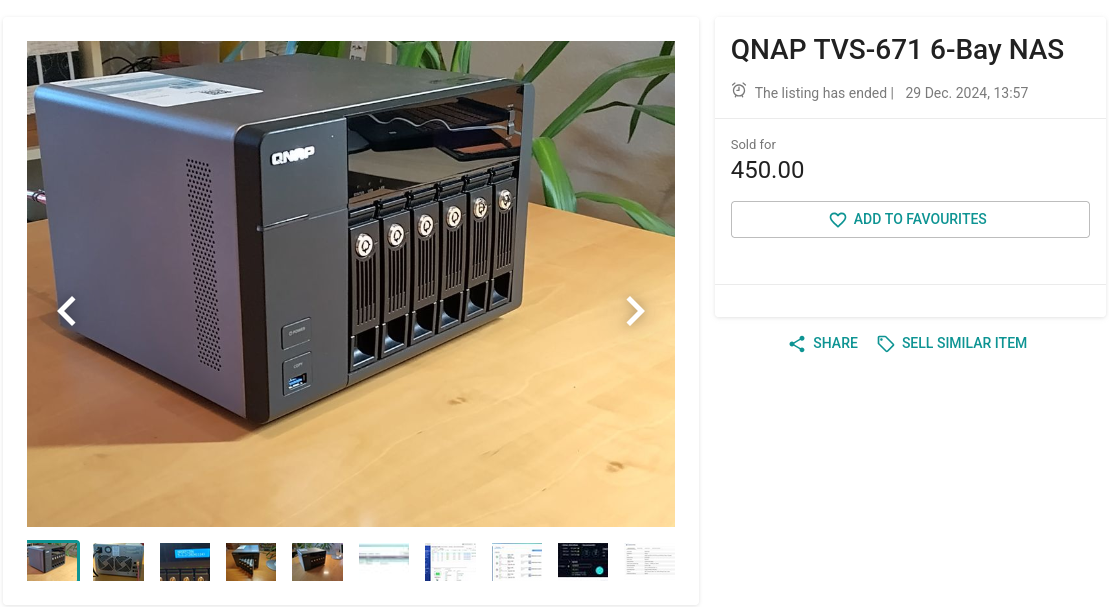
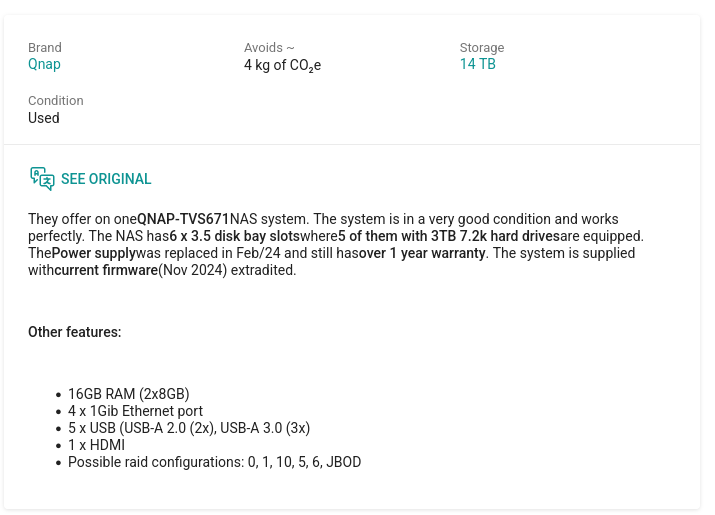
Ricardo Listing of the NAS I'd buy... [translation by the platform itself]
Granted, the QNAP TVS 671 is not the youngest on the shelf; first released in 2015, this seemed a bit older. But the previous owner upgraded its RAM to the full 16G possible, had recently replaced the power supply and would include 5x3TB in disks. With a RAID6, that'd leave me with 9TB usable storage (what I believed would be plenty to start).
Also I found forum posts showing that QNAP devices worked well with TrueNAS, so a tick on that requirement ✅
The bidding price was somewhere around 350.-, and I placed a bid. But I had competition and got overbid; so shortly after Christmas I decided I WANTED that (it was a good deal to my understanding) and hit the Instant-Buy button. Little did I know it'd gonna be one of my best purchases EVER.
Before new year arrived, I went to pick it up - and at that point a big thanks to the previous owner - nicely packed, well padded, everything included. Nerd-Talk included when picking it up. Smooth!
The Transport and Initial Location
The only problem: It was (especially including packaging) way larger than I expected. While I did manage to carry it the 15 minutes to the train station, into the train, then into the bus, and eventually, into my flat in Zurich, my arms were sore as hell, close to giving up, and they would stay the next two days like that. Oh well.
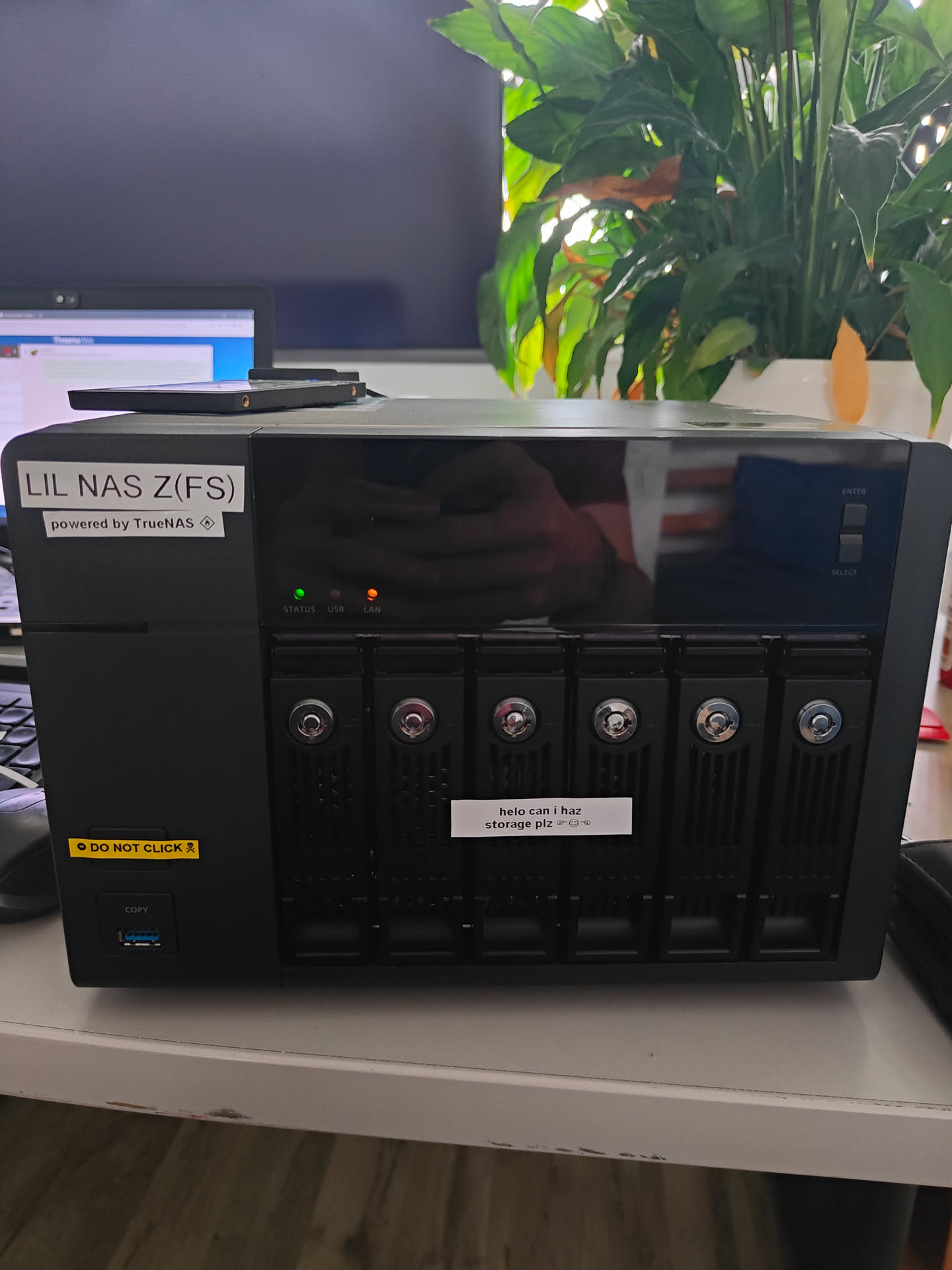
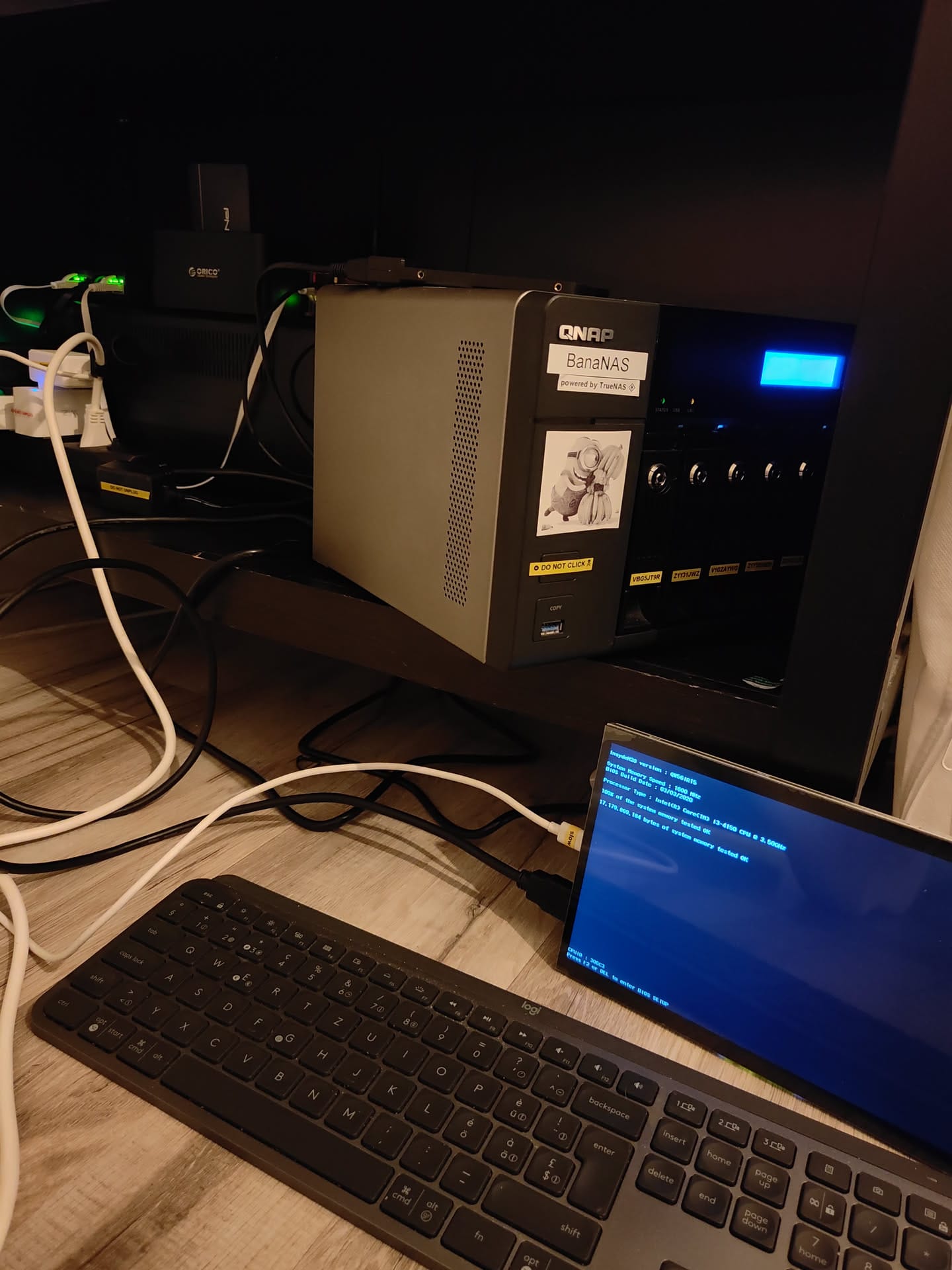
And because obviously, I had no space at that time, it landed on my bedroom table. I had to get used to the noise, but plus points awarded because it is static noise and I (kinda?) got used to it. You might also see that at that point in my life I had fun with my label printer. It was later moved to the common area.
The Freeing
To install TrueNAS, you need a boot medium. This QNAP device has an internal USB DOM (eUSB), that is too small. I bought a 16G version online, installed TrueNAS on it (boot via USB, and install it like any other Linux..), eventually managed to boot from it and figured out... it is slow. Very slow. TrueNAS takes ages to start up from it.
I needed an alternative. And ended up hooking a small PNY SSD that was lying around via USB to SATA adapter, installed TrueNAS on that and booted. And things were fast.
Unfortunately, something seemed wrong with the SSD (or the SATA Adapter?) as my grub got corrupted again and again..
So that's why I did what TrueNAS does not recommend: Using a USB stick as boot device. It is recommended against since the log writing will eventually destroy the flash and make the USB unusable, but: it worked, and I am willing to replace a 5$ USB every year, if needed (has not been needed so far).
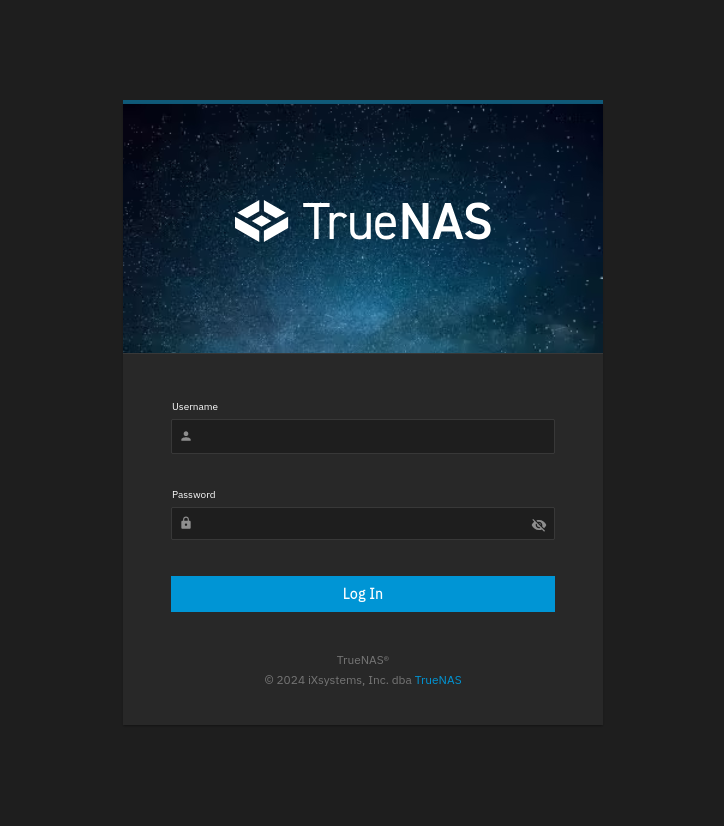
The Setup
The Raid
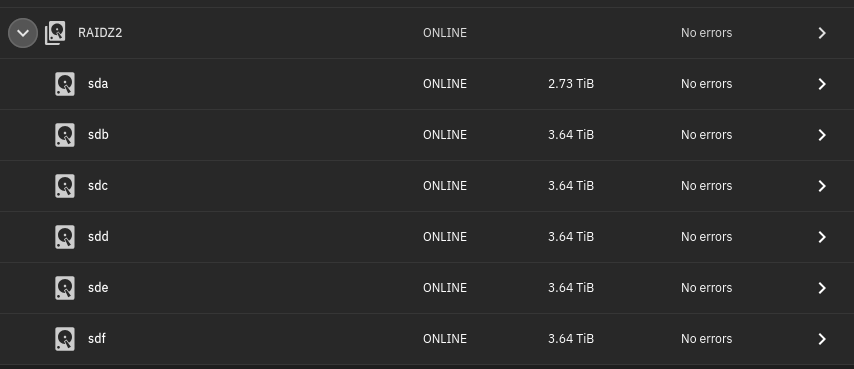
The first surprise: Not only did I get 5x3TB drives, but 4x4TB and 1x3TB! How cool!
Straight forward, no bulls*it, and: when the config is properly exported, can be imported or loaded into any other system supporting ZFS. That's how we like it.
Datasets
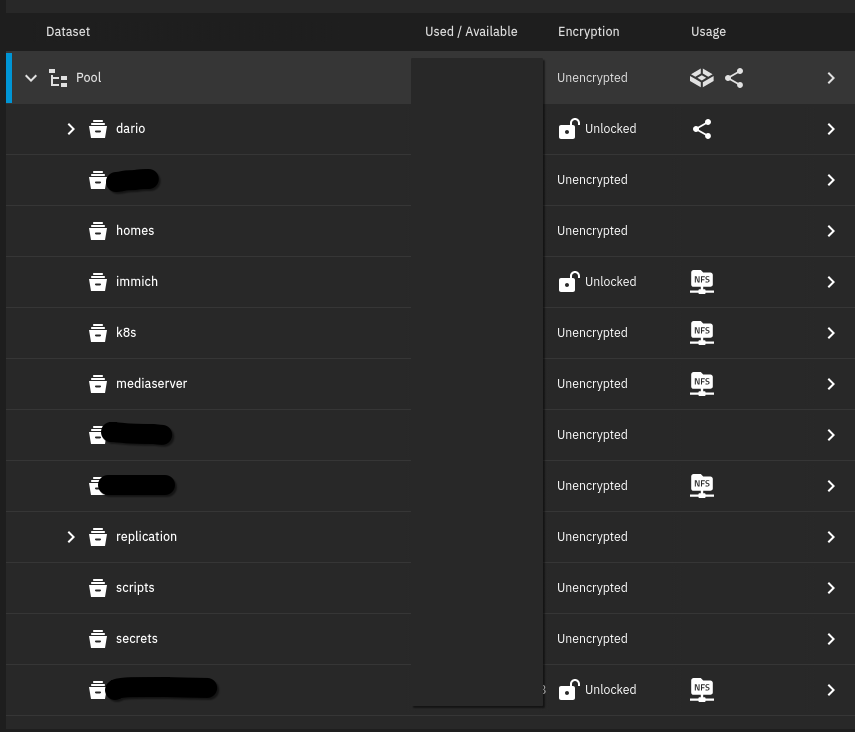
Datasets get created as I need them. Private and sensitive datasets are encrypted.
Scrubs & Scans
HDDs may develop bad sectors over time. When the HDD firmware detects a bad sector, it tries to move the data to another sector. If the sector cannot be read at all, data is lost. To ensure we catch these sectors, we setup a Scrub task which will read all data from the disk; if it cannot read a sector, the data will be reconstructed and rewritten (from the RAID parity data) to an unaffected sector. The HDD Firmware will automatically mark the bad sector as such. My Scrub runs approximately once a month.
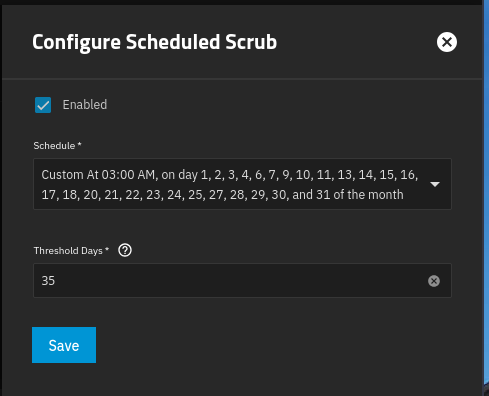
To run SMART tests, we can utilize Cron Jobs:

SMB & NFS
For my applications, I started to setup SMB shares and NFS shares. This will be covered more in-depth in upcoming posts 😄
Make the LCD working
My QNAP has LEDs (for disk status) and an LCD. While I haven't found a solution to make the LEDs working, I was able to setup this to get a working LCD menu!
 stephenhouser
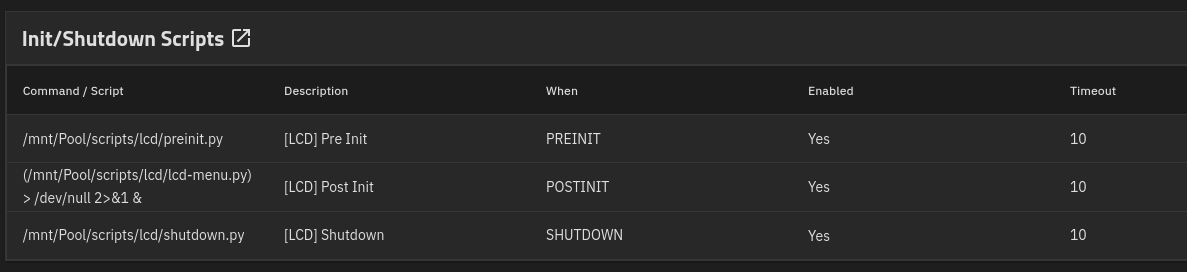
To make it work, they were copied to the scripts dataset and setup as Init / Shutdown scripts:
Snapshots, Backups, and the 3-2-1 rule
While we have data redundancy, we should not forget making backups. Because redundancy isn't worth anything if your house burns down, right?
The 3-2-1 rule is a data protection strategy requiring 3 total copies of data, stored on 2 different media types, with 1 copy kept off-site. It ensures that hardware failure, accidental deletion, or physical disasters (fire/theft) do not lead to permanent data loss. Key Components of the 3-2-1 Rule:
- 3 Copies of Data: The original data plus at least two backups.
- 2 Different Media Types: Use different storage technologies (e.g., local hard drive + NAS, or computer + external USB drive) to prevent simultaneous failure of both copies.
- 1 Off-site Copy: Maintain at least one backup in a different physical location, such as in the cloud or a separate building, to protect against localized disasters.
I started off with a (encrypted) backup to Backblaze. In the meantime, friends of mine have also started their NAS / Homelab Projects and since then I replicate to them (and they replicate to me).
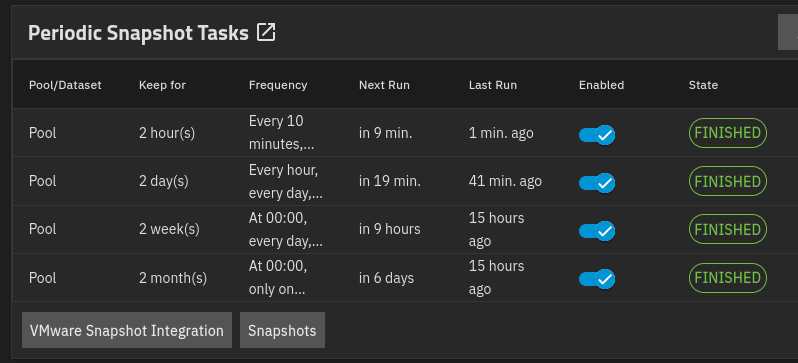
Backups sync snapshots. Therefore I have setup a complex schedule and logic to keep snapshots with varying granularity:
In case of power failure?
Shortly after buying my NAS I found out I need one more toy: An Uninterruptible Power Supply - since HDDs don't exactly love losing power all of a sudden (that being said, they have protective mechanisms; however unfortunate timing might still destroy your disk).
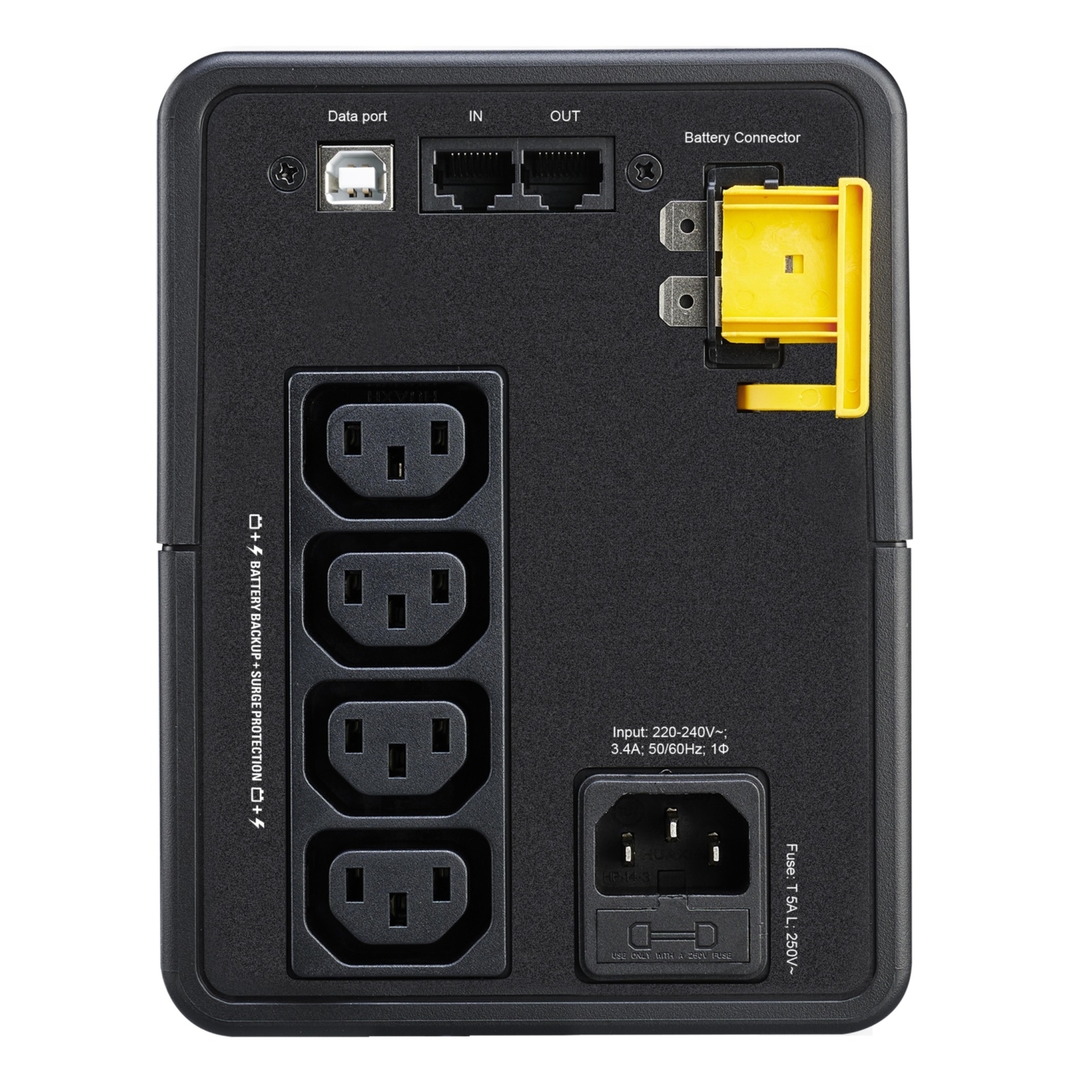
That's why I ended up a APC BX750MII (the cheapest at that time), which is able to power my homelab setup (the NAS and my Pi) for approximately 30 minutes in case of a power failure and cleanly shuts down the NAS afterwards.

But power failures never happen in Switzerland!
My flatmate Raphael, who woke up to a beeping UPS at 4am, and didn't know how to silence the alarm, would like to tell you a story ... 😝
(And yes, after that, a note was added to the UPS on how to silence the alarm. I am not a monster...)
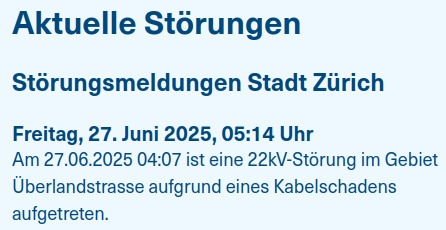
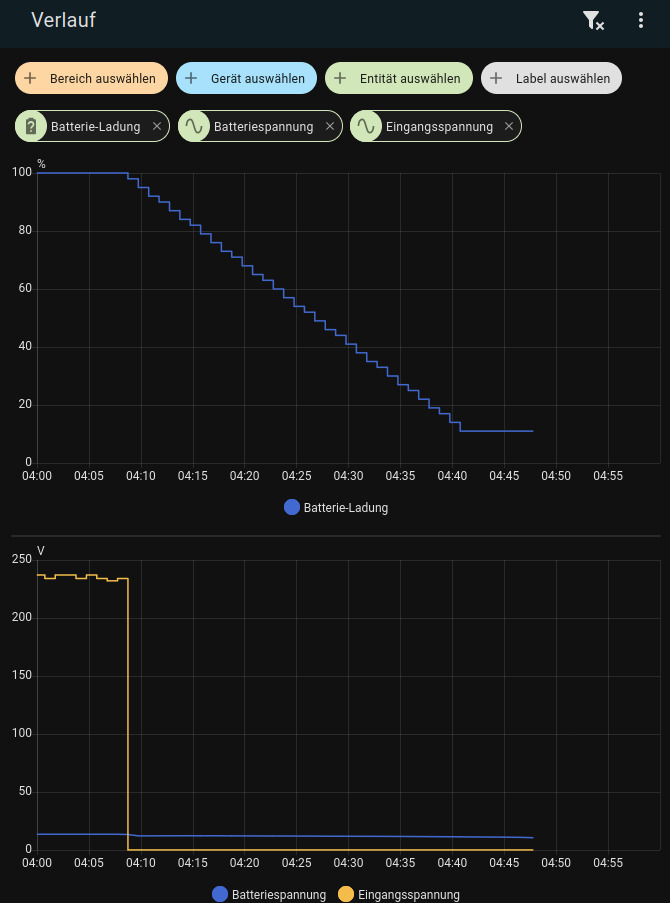
Left: Notification of EWZ Power Outage (27.06.2025), Right: Battery Charge, Battery Voltage and Grid Voltage, confirming the power outage happened at 04:07am
Looking back
I still believe I made an insanely good deal. I love that it just works. I get email notifications when something is wrong with disks (it was also very audible when I returned to the flat that day), it is fast, and did I mention it just works?
Last but not least: I shared my new setup with the previous owner and he was very happy to see that 'his' NAS gets an "exciting second life". ✨
I love it in every aspect. And I shall encourage you to setup one yourself too! We can become backup partners!
Until next time!
D.